Configure Outbound Fax
To send a Virtual Fax, your email address must be added to the 'allowed senders' list.
From the PBX homepage, select Virtual Fax
On this page, click 'Add Virtual Fax Sender' and enter the sender's email address and set the outbound caller ID.
Click Save when finished.
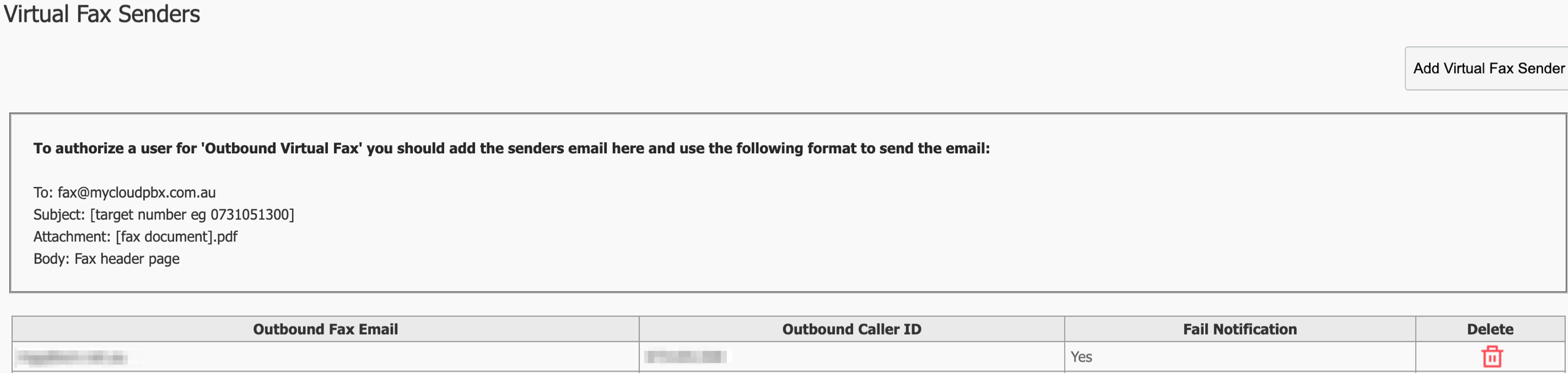
Senders Email: Email address you would like to send the faxes from
Header: Text you would like to put into the Headers of the faxes, EG; Company Name
Outbound Caller ID: Phone number the faxes are made from. Typically this you want this to be your inbound fax number.
Usage
- Send Faxes: Attach the document to an email and send it to the designated fax address.
- Receive Faxes: Faxes will be delivered as email attachments to the configured email address.
Click 'Return to Service' when finished.
Your changes are now ready to 'Apply' to your PBX. Click 'Apply Changes'.